Series 2 is here — download Marsh, Pup and Snout Download →
COS Config Center · Series 2

Nine things that
used to need the terminal

Codecs, disks, logs, keyboard, language, firewall and remote access — the settings a Linux desktop actually needs, in one app that explains itself.

Marsh · Pup · SnoutFedora 459 modulesGTK4polkit
COS Config Center

Everything it covers

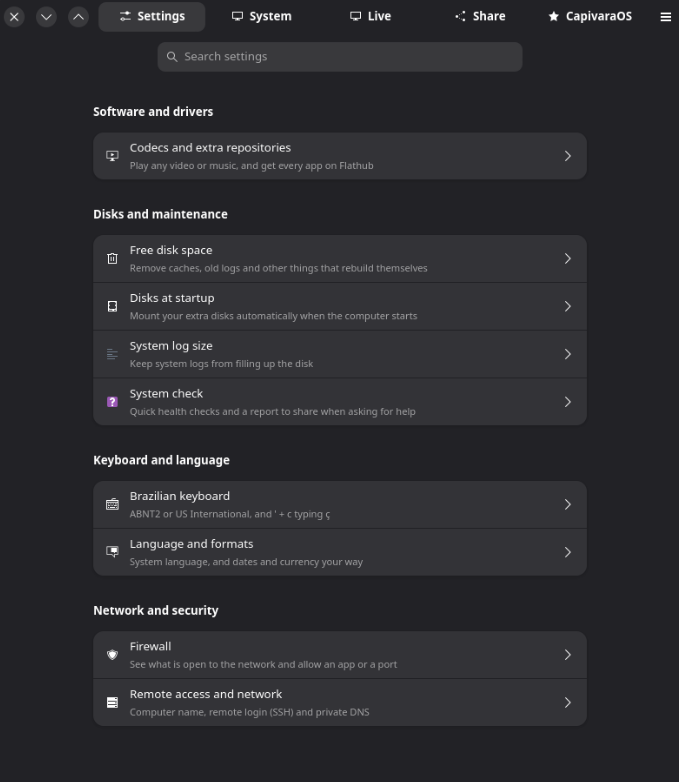
Nine modules in four groups. Each one is a task someone would otherwise look up in a forum and solve by pasting commands.

Software and drivers

01

Codecs and extra repositories

Play any video or music, and get every app on Flathub. The codecs Fedora cannot ship by default, enabled in one place.

Disks and maintenance

02

Free disk space

Remove caches, old logs and other things that rebuild themselves.

03

Disks at startup

Mount your extra disks automatically when the computer starts.

04

System log size

Keep system logs from filling up the disk.

05

System check

Quick health checks and a report to share when asking for help.

Keyboard and language

06

Brazilian keyboard

ABNT2 or US International, and ' + c typing ç.

07

Language and formats

System language, and dates and currency your way.

Network and security

08

Firewall

See what is open to the network and allow an app or a port.

09

Remote access and network

Computer name, remote login (SSH) and private DNS.

A firewall that asks the right question

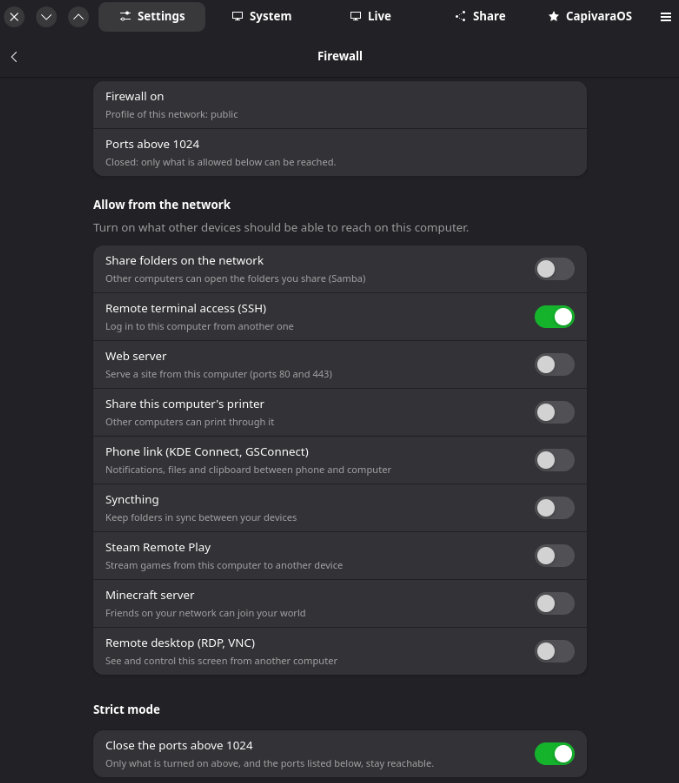
Most firewall tools ask which port to open. This one asks what you want to do — share a folder, log in from another computer, let friends join your Minecraft world — and handles the ports itself. Strict mode closes everything above 1024 except what you turned on.

  • Share folders on the network (Samba)
  • Remote terminal access (SSH)
  • Phone link (KDE Connect, GSConnect)
  • Steam Remote Play, Minecraft server
  • Remote desktop (RDP, VNC)
Firewall

A report you can paste anywhere

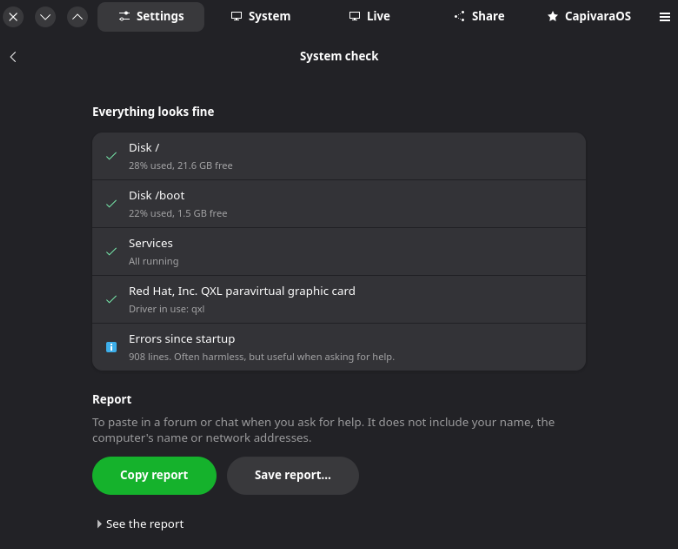
The system check looks at disk space, services, the graphics driver in use and errors since startup, then writes a report for you to paste in a forum or chat. It deliberately leaves out your name, the computer name and network addresses — so asking for help does not mean handing over your identity.

System check

And a live view of the machine

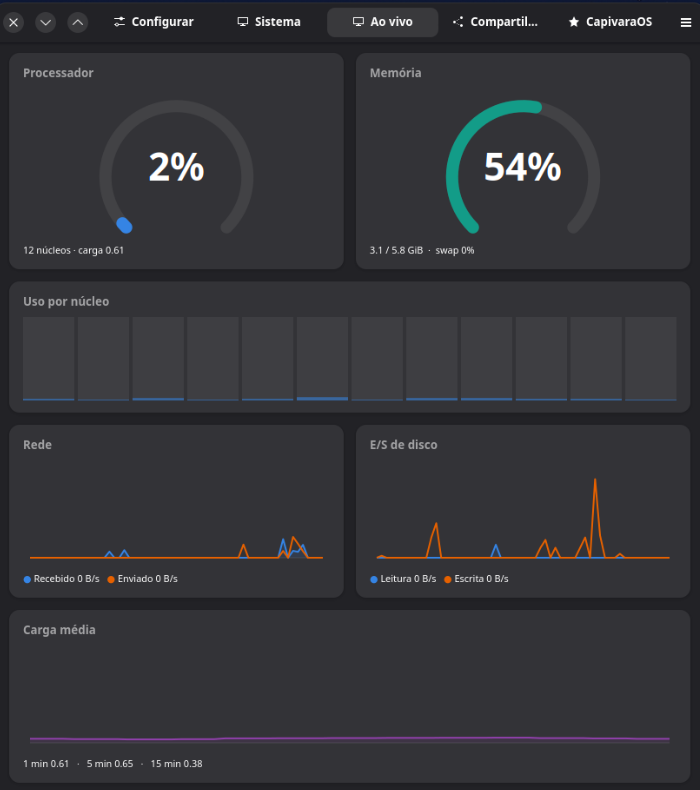
Processor, memory, per-core usage, network, disk I/O and load average, updating in real time. Enough to answer "why is this slow right now" without installing anything.

Live monitor

How it behaves

A settings app is only useful if you trust it. These are the rules it follows.

Plain language, not jargon

Every option says what it does for you. The firewall asks whether friends can join your Minecraft world, not whether to open port 25565.

It says what it will do

Each screen explains the change before applying it, and asks for your password only when the change really needs root.

Same app on all three desktops

Marsh, Pup and Snout ship the same Config Center, so one answer in the forum works for everyone.

Nothing runs in the background

It is an app you open when you need it. No daemon, no tray icon, no service waiting around.

Reads the real system

It shows the actual state of the machine — not a saved copy. Change something elsewhere and the app reflects it.

Built for asking for help

The report is made to be pasted in a forum, and deliberately leaves your identity out of it.

Comes with every desktop edition

COS Config Center ships with Marsh, Pup and Snout from the first boot of Series 2.