Series 2 is here — download Marsh, Pup and Snout Download →
COS Dev Center · Series 2

Your dev workstation,
ready in minutes

The base system already works. COS Dev Center adds the optional part — local AI, language tracks, editors and containers — in one click, without a terminal and without guesswork.

Marsh · Pup · SnoutFedora 45Local AImiseDocker CE
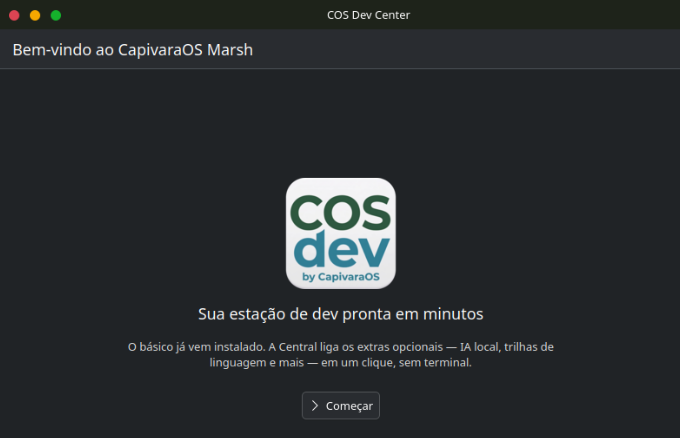
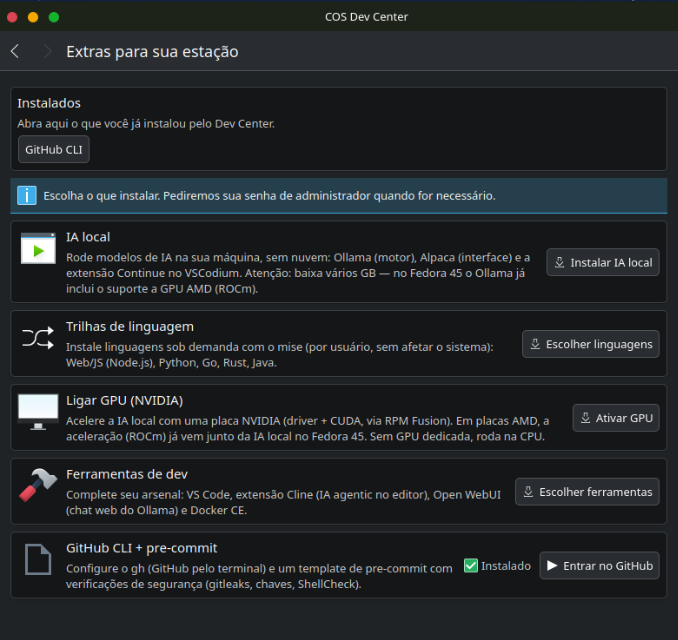
COS Dev Center welcome screen

Five things it can set up

Each card is one decision. Nothing installs on its own, and the app explains what each one costs in disk and permissions before you commit.

Main screen with the five cards
01

Local AI

Ollama as the engine, Alpaca as the interface and the Continue extension inside VSCodium. Models run on your machine — no cloud, no account, no data leaving the room. It downloads several GB, and the app says so before starting.

02

Language tracks

Node.js, Python, Go, Rust and Java, installed on demand through mise. They land in your user, not in the system, so a broken toolchain is never a broken machine.

03

GPU support

Turns on an NVIDIA card with driver and CUDA via RPM Fusion. On AMD, acceleration already ships with local AI on Fedora 45. With no dedicated GPU, models still run on the CPU.

04

Dev tools

VS Code, Cline for agentic AI inside the editor, Open WebUI as a web chat for Ollama, and Docker CE for containers.

05

GitHub CLI + pre-commit

Sets up gh and a pre-commit template that checks for leaked secrets, stray keys and shell errors — gitleaks and ShellCheck, wired before the first commit.

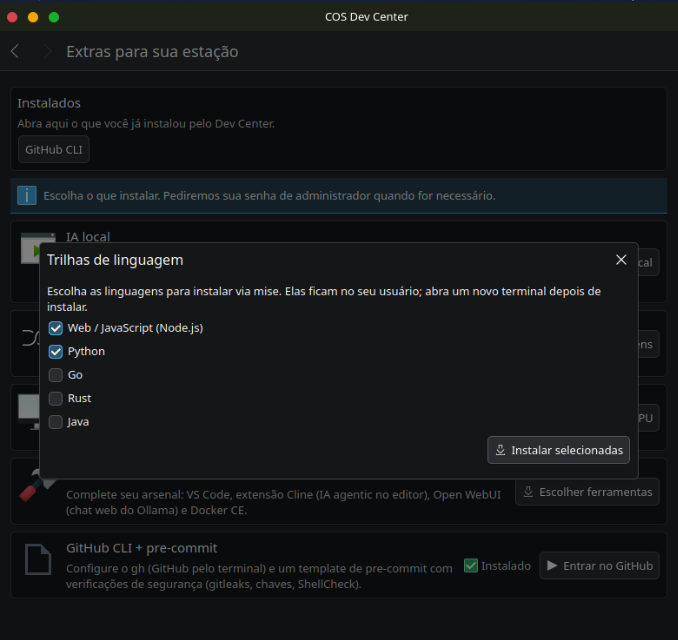
Languages that stay in your user

Pick the tracks and the Dev Center installs them through mise, per user. The system Python stays untouched — which matters, because on Fedora the system Python is what keeps parts of the OS running. Open a new terminal afterwards and the versions are there.

  • Web / JavaScript (Node.js)
  • Python
  • Go
  • Rust
  • Java
Language tracks dialog

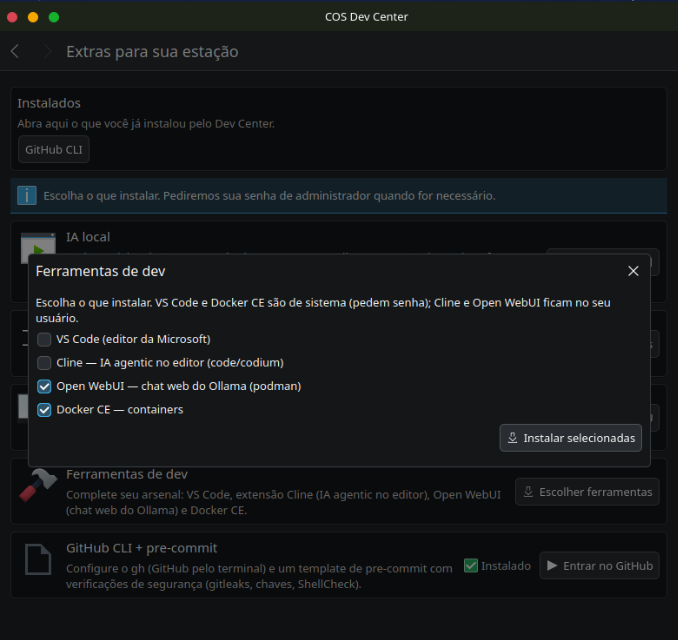
It tells you what touches the system

VS Code and Docker CE are system packages and ask for your password. Cline and Open WebUI stay in your user and do not. The dialog says which is which before you choose — no surprise prompts halfway through.

Dev tools dialog

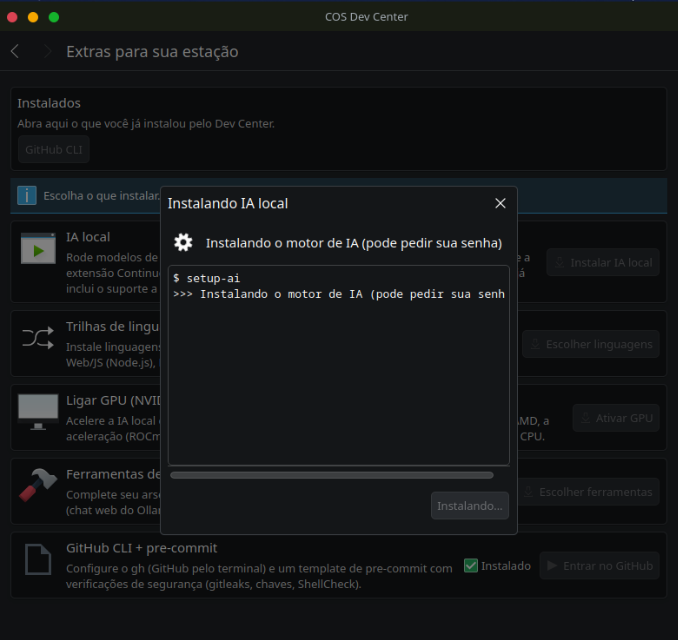
Installing, in the open

The install runs in a window with the real output on screen. If something fails you see where, instead of a spinner that ends in silence.

Install progress window

Built to be undone

Setting up a Linux dev machine is a day of searching for repositories, chasing driver versions and pasting commands you half trust. The Dev Center turns that day into a handful of decisions — and keeps the reasoning visible, so you learn the system instead of working around it.

Nothing is mandatory

The base system is complete on its own. Everything here is opt-in — install what you use, ignore the rest.

No terminal required

Every install runs from the window, with a progress log you can read. It asks for your password only when a step truly needs root.

User vs system, made explicit

The app tells you which items touch the system and which stay in your user, before you confirm.

Same app on all three desktops

Marsh, Pup and Snout ship the same Dev Center, so a guide written for one works on the others.

Offline after install

Local AI keeps working with no connection. Useful on a plane, in an air-gapped lab, or on bad hotel wifi.

Reversible

Language tracks live under your user — remove the directory and the machine is exactly as it was.

Comes with every desktop edition

COS Dev Center ships with Marsh, Pup and Snout from the first boot of Series 2. Nothing to download separately.